Project management is all about planning, organization, and efficiency. Whether you’re managing a small team or a complex multi-phase project, having the right tools to visualize and analyze your workflow is essential. That’s where CPM-Net comes, client-side web application designed to help you master the Critical Path Method (CPM) with ease and for free.
Why Use the Critical Path Method?
The Critical Path Method is a proven technique for project scheduling that helps you:
- Improve Project Planning: Break down complex projects into manageable tasks and identify priorities.
- Strengthen Communication: Foster better communication among team members by visualizing dependencies and task sequences.
- Manage Resources Effectively: Allocate resources where they’re needed most and avoid bottlenecks.
- Minimize Delays: Detect risks early and adjust your schedule to keep your project on track.
- Control Costs: Tie costs to each task and monitor your budget more accurately.
What is CPM-Net?
CPM-Net is a browser-based project management tool that allows you to create, visualize, and analyze project schedules using the Critical Path Method. All your project data is processed locally, ensuring privacy and security. No server or installation is required—just open the app in your browser and get started.
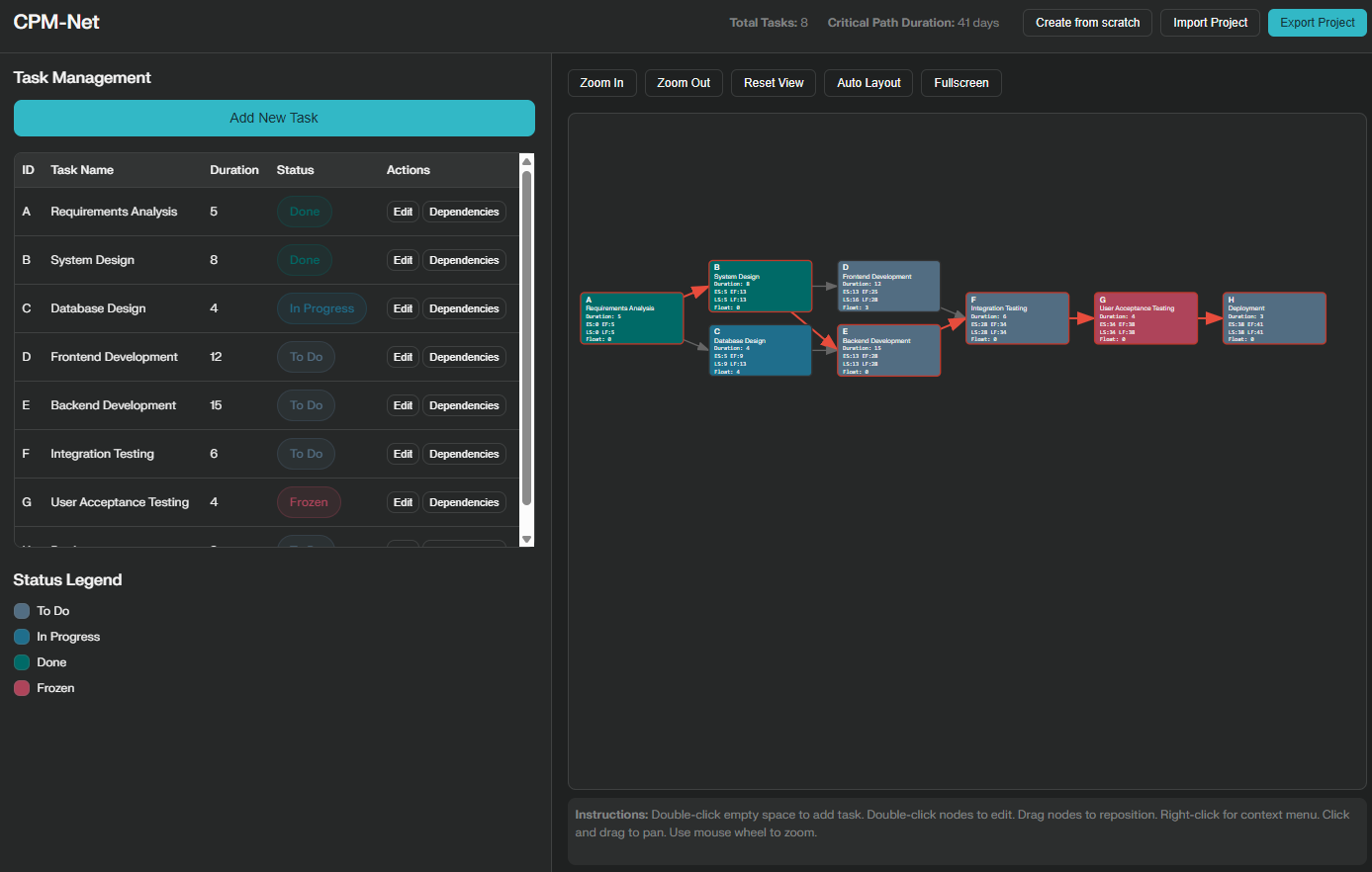
Key Features
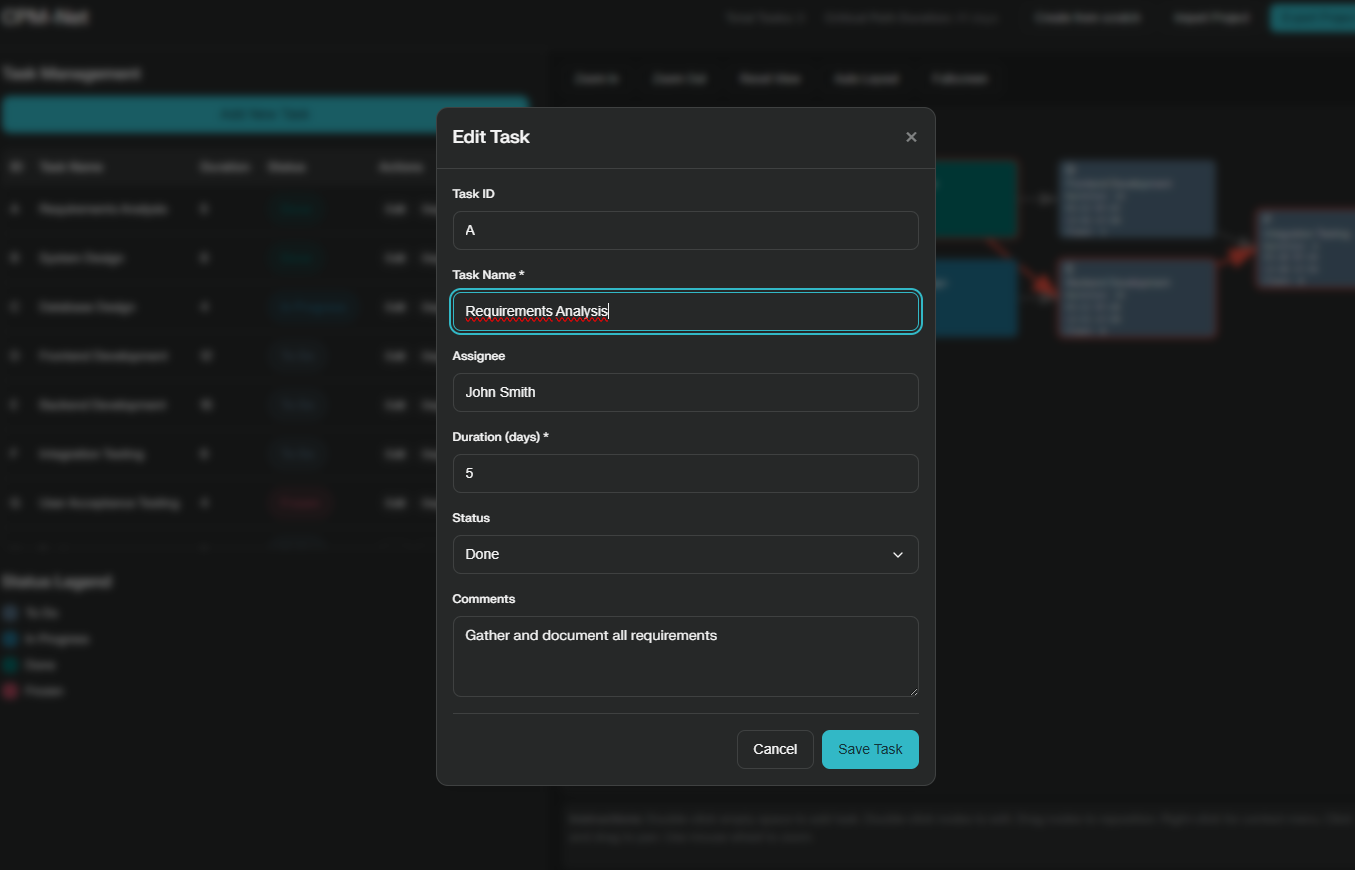
- Task Management: Add, edit, and organize tasks with custom IDs, names, assignees, durations, statuses, and comments.
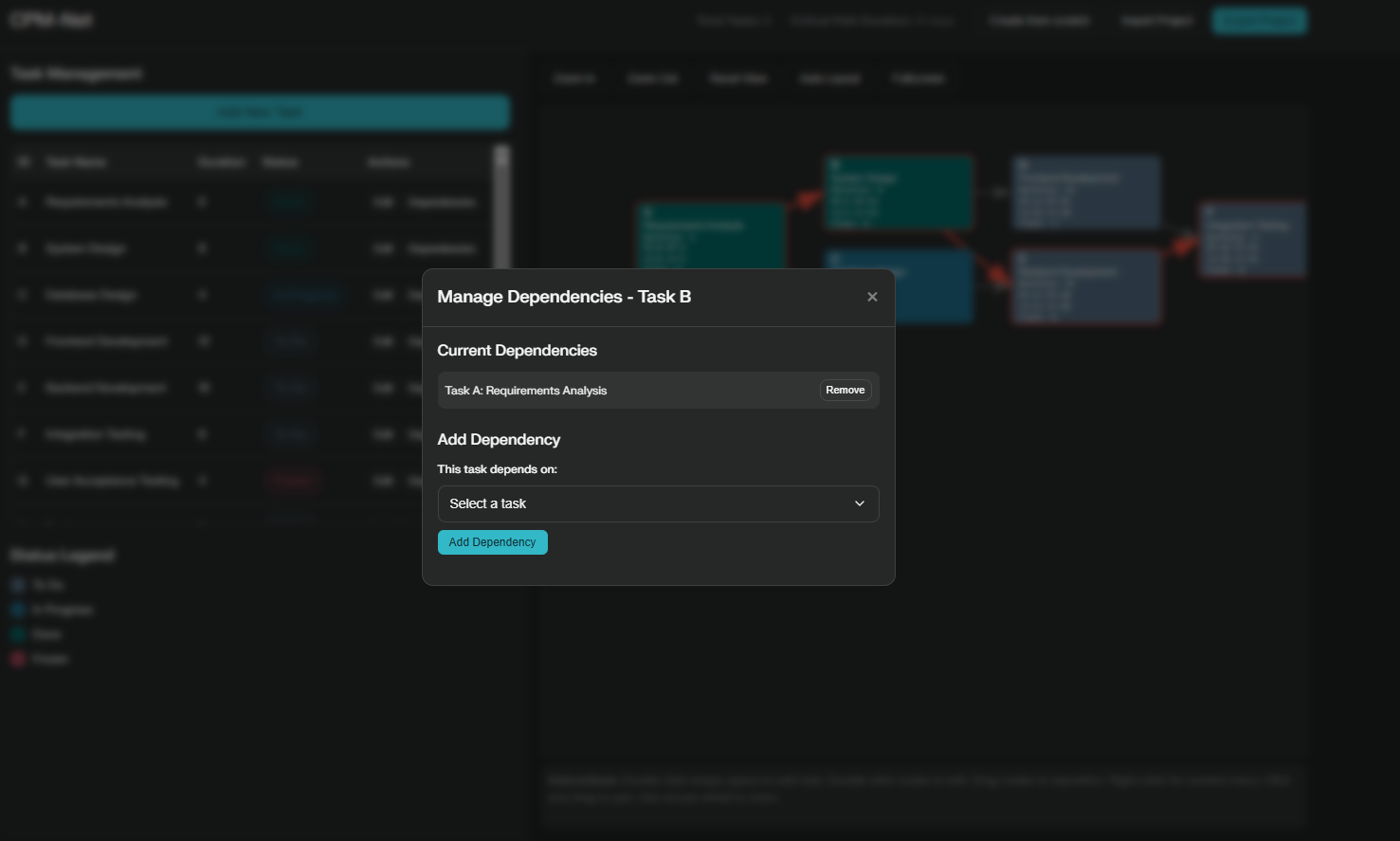
- Dependency Management: Easily define dependencies between tasks and visualize them in the interactive diagram.
- Critical Path Visualization: The app automatically calculates and highlights the critical path, helping you identify the most important tasks.
- Interactive Diagram: Drag-and-drop task nodes, zoom, pan, and edit tasks directly from the diagram for a seamless workflow.
- Fullscreen Mode: View your project diagram in fullscreen for better visibility and focus.
- Local File Handling: Export and import projects as JSON files, so you can work offline or share your projects with others.
- Privacy-Focused: No data is collected or sent to any server—everything happens in your browser.
- Responsive Design: Works smoothly on both desktop and tablet devices.
How to Use CPM-Net
- Add Tasks: Double-click on an empty area of the diagram to create a new task.
- Edit Tasks: Double-click on a task node or use the task table to update details.
- Manage Dependencies: Define dependencies between tasks using the dependency manager or by dragging connections.
- Visualize the Critical Path: The critical path is automatically calculated and highlighted in red.
- Export/Import Projects: Persistence features to manage your project files.
- Switch to Fullscreen: Click the “Fullscreen” button for a distraction-free view of your project.
Privacy and Security
CPM-Net is designed with privacy in mind. All data is processed locally in your browser, and no personal information is collected or transmitted to any server. For more details, see the Privacy Policy.
Get Started
Open CPM-Net App
CPM-Net is open source and available under the MIT License.
CPM-Net is currently in early development and will evolve with new features and improvements.
Contributions, suggestions, and feedback are always welcome!